Ordering.
With clarity.
Replacing a fragmented, macro-enabled Excel workflow with a dedicated order management application for VIA Buffalo and its DJJ partner teams.
One workbook.
Too many jobs.
VIA’s team used a single macro-enabled Excel workbook as both an inventory management tool and a storefront. DJJ teams relied on that same process to order supplies.
The workflow was fragmented, and the workbook repeatedly broke, creating problems for the staff maintaining inventory and the teams placing orders. The project needed a clearer way to manage ordering, inventory, and fulfilment.
From data
to handover.
This was a team project. I carried out the end-to-end technical implementation: setting up the data structure, building the application and its screens, creating the documentation, and handing over the solution.
- Set up SharePoint Lists for orders, order items, inventory, and inventory change logs.
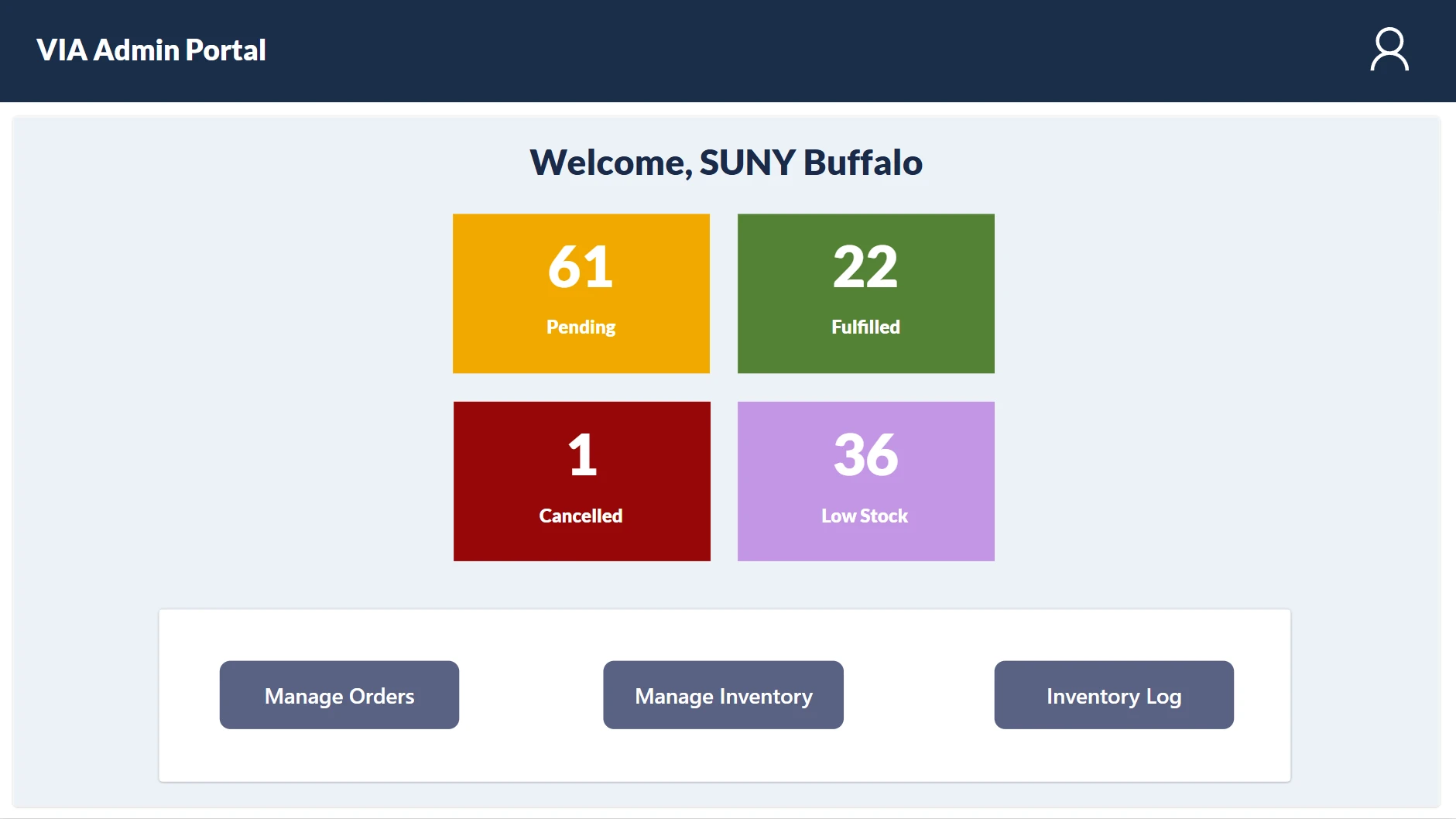
- Built the client ordering experience and the VIA admin screens in Power Apps.
- Connected Power Automate workflows for notifications, order exports, and reports.
- Created separate guides for DJJ users and VIA staff, alongside technical documentation.
Two workflows.
Connected data.
For DJJ teams placing orders
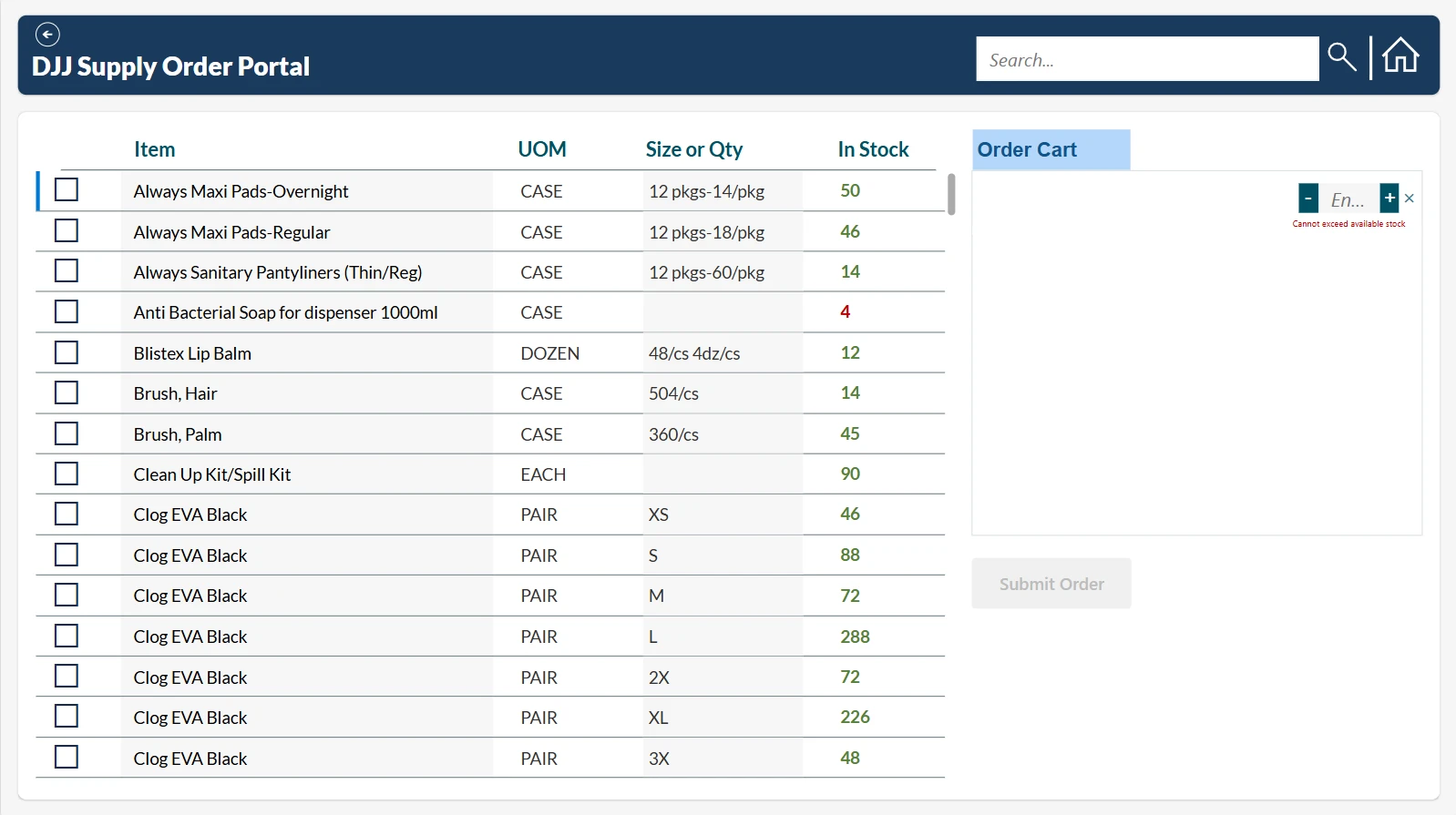
Users select their facility, browse available inventory, add items to a cart, and submit an order. Quantity checks help prevent requests that exceed the stock shown in the app. An order reference and automated confirmation support follow-up.
For VIA staff managing fulfilment
Staff can review orders, filter by facility, status, or date, record shipped quantities and boxes, and update order status. Inventory screens support product updates and change logs, while automated flows provide fulfilment emails, CSV exports, and emailed order reports.
The data behind the screens
Separate SharePoint Lists hold orders, their line items, inventory, and change logs. Power Apps provides the interfaces for each workflow, while Power Automate handles communication and reporting tasks.
Built to
be used.
The application has been handed over and is actively being used by VIA Buffalo.
Delivery included the working application, technical documentation, a DJJ user guide, and a VIA staff guide covering order handling, inventory management, and reporting.
Recognition
The project received the Best Business Impact Award at the University at Buffalo School of Management’s 2026 Graduate Experiential Showcase.
Adoption and handover are the outcomes reported here. Time savings, error reductions, and other operational improvements have not been quantified in this case study.